Free for iPhone and Android
Get Nivala on your phone
Nivala is free. Open it, set your household's rules once, and it shows three dinners that fit everyone at the table, with a reason for each and a time to start.
- Coming soon to theApp StoreiPhone
- Coming soon to theGoogle PlayAndroid
Nivala is not in the App Store or on Google Play yet. Until it is, the same three-card picker runs in your browser, with no account.
Free
Nivala costs nothing. Small ads from Google AdMob appear at natural breaks, never over your three picks.
No sign-up
There is no sign-up screen. Your household stays on your phone unless you choose to back it up.
Works offline
The suggestion engine runs on your phone. Restaurants, weather, dish photos, backup and ads need a connection.
What does the app look like?
Eight screens from the Android app, in the order the Play Store shows them.
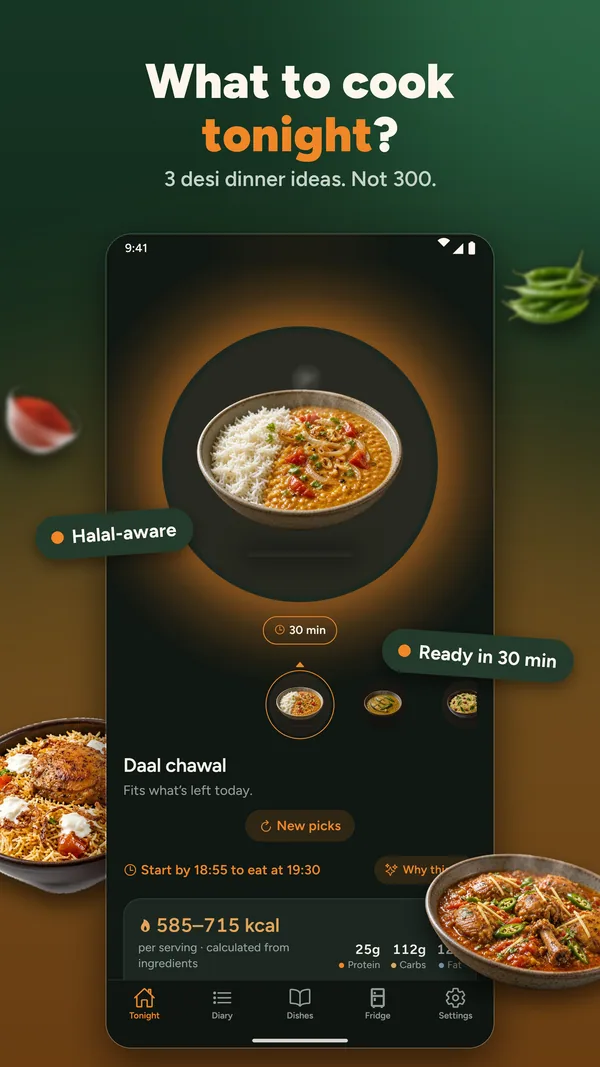
What to cook tonightThree dinner ideas, each with its reason, a cook time and a calorie range.
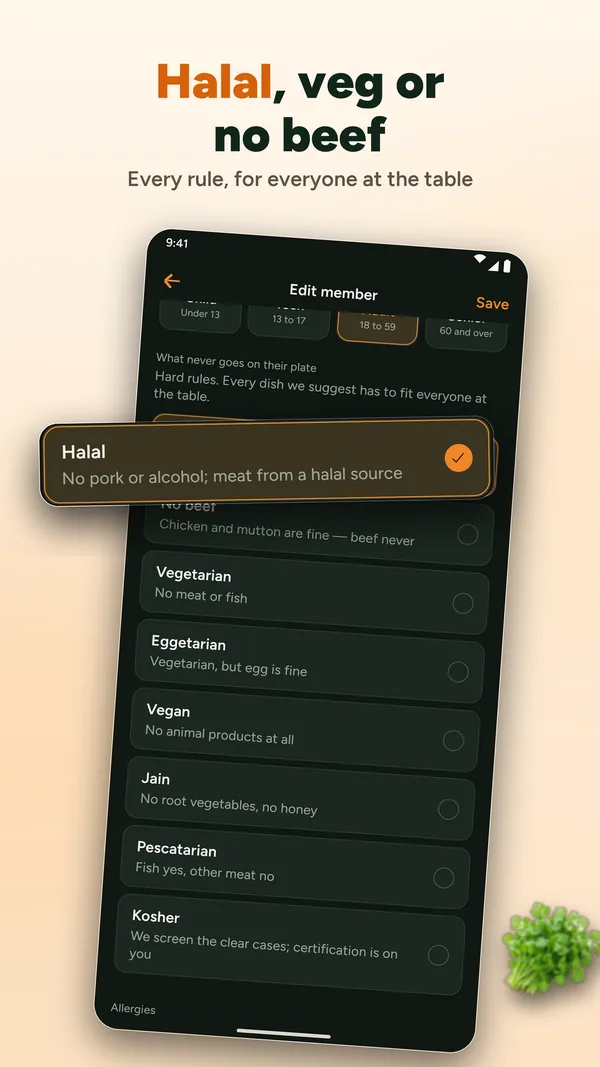
Halal and diet rulesRules per person: halal, no beef, vegetarian, eggetarian, vegan, Jain and kosher.
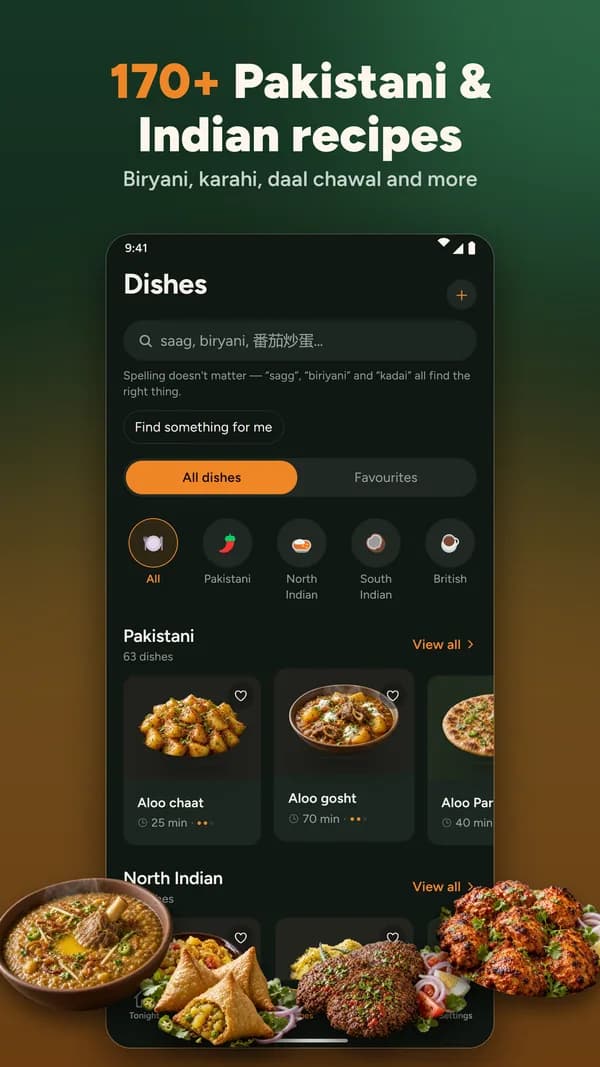
Pakistani and Indian recipesA dish library with 170+ Pakistani and Indian dishes, and search that forgives spelling.
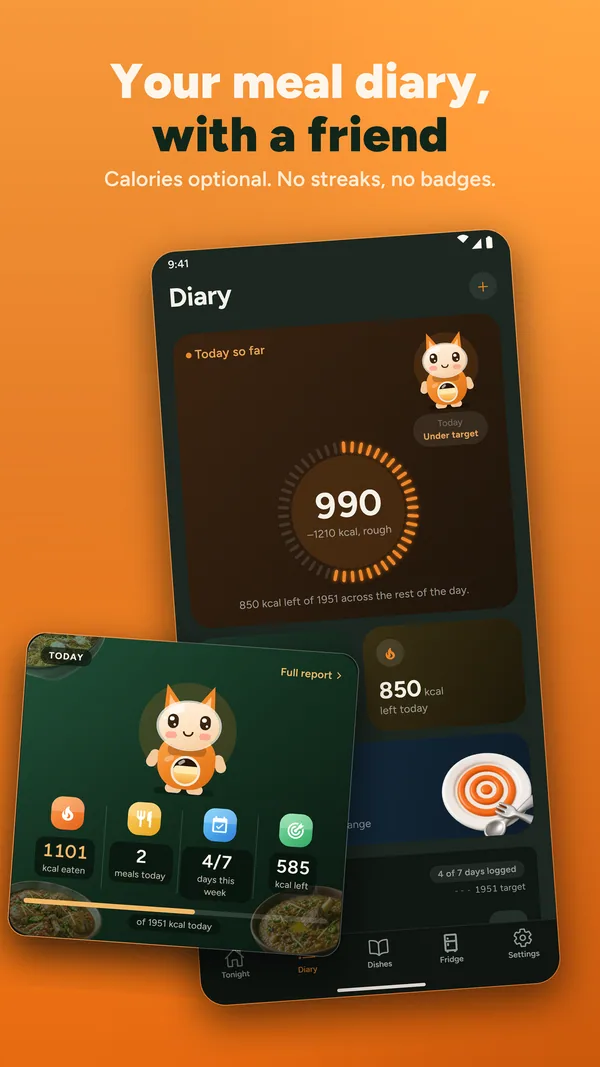
Meal diaryLog a meal in a tap and see today and the week at a glance.
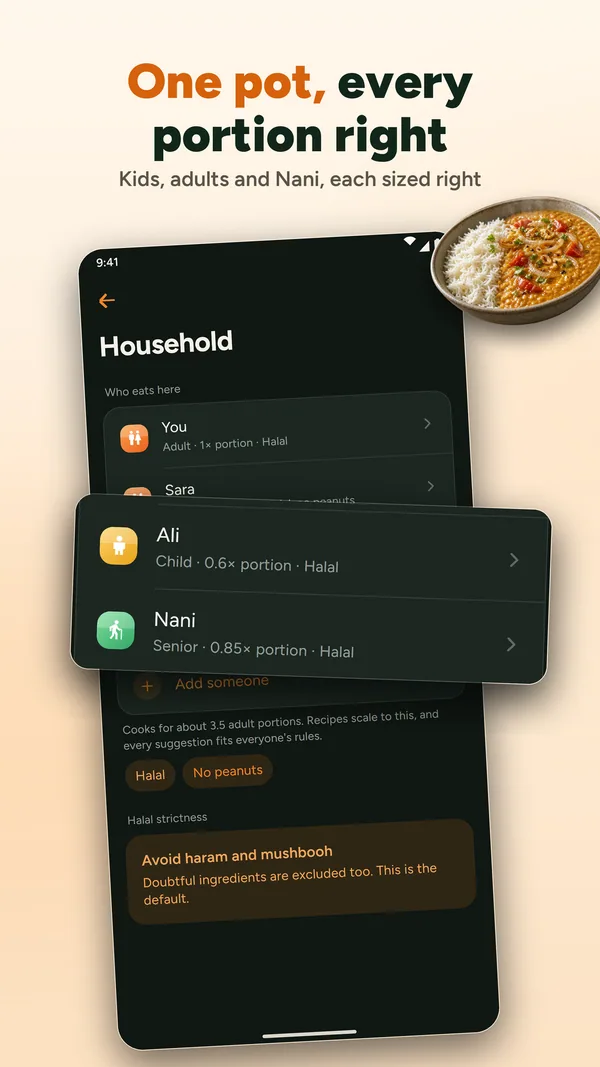
Portions for everyoneOne pot, worked out per person: a child, a teen, an adult or a senior.
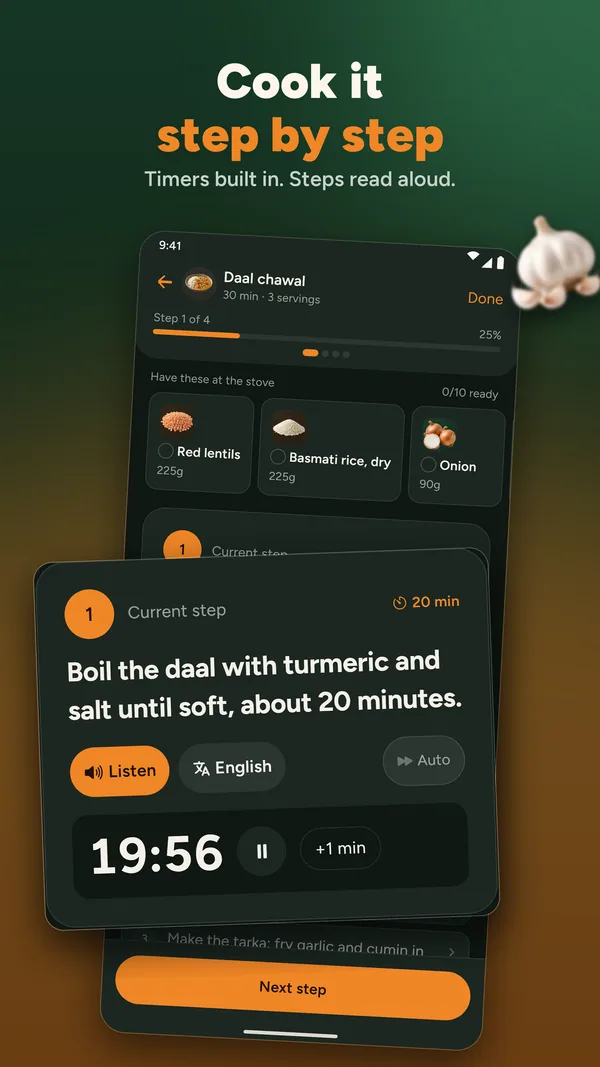
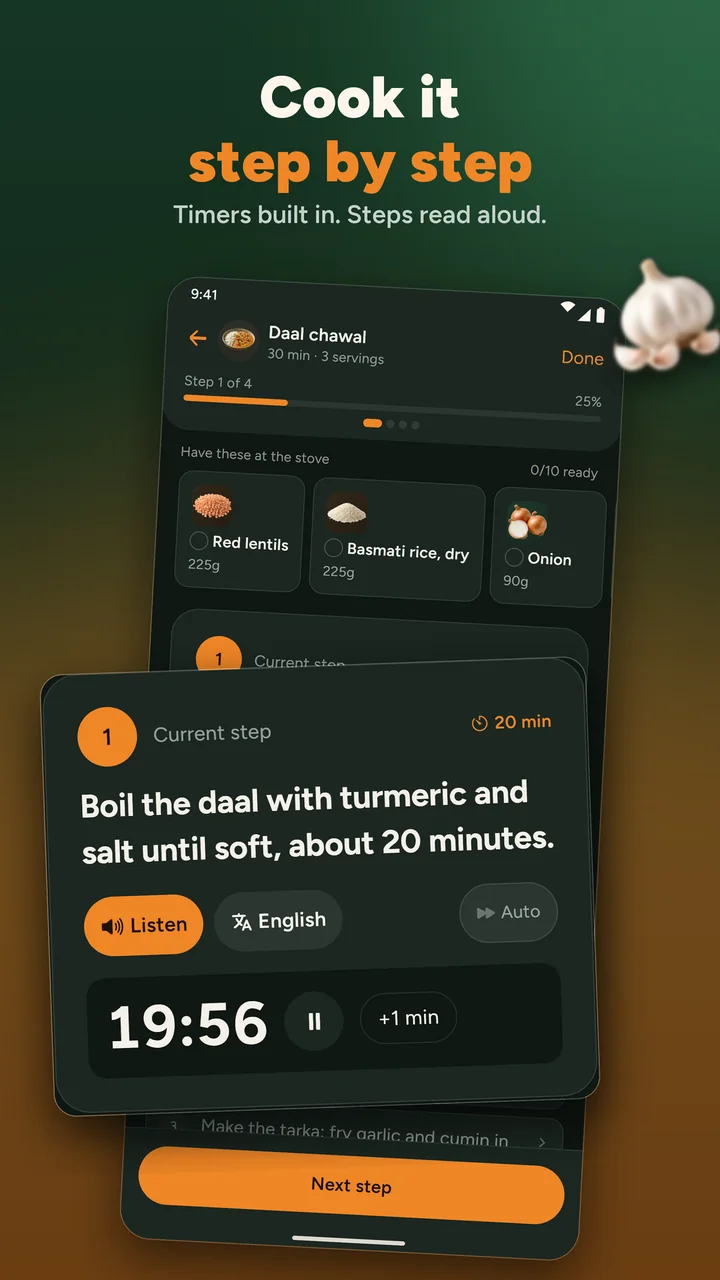
Cook modeStep by step, with built-in timers and the step read aloud.
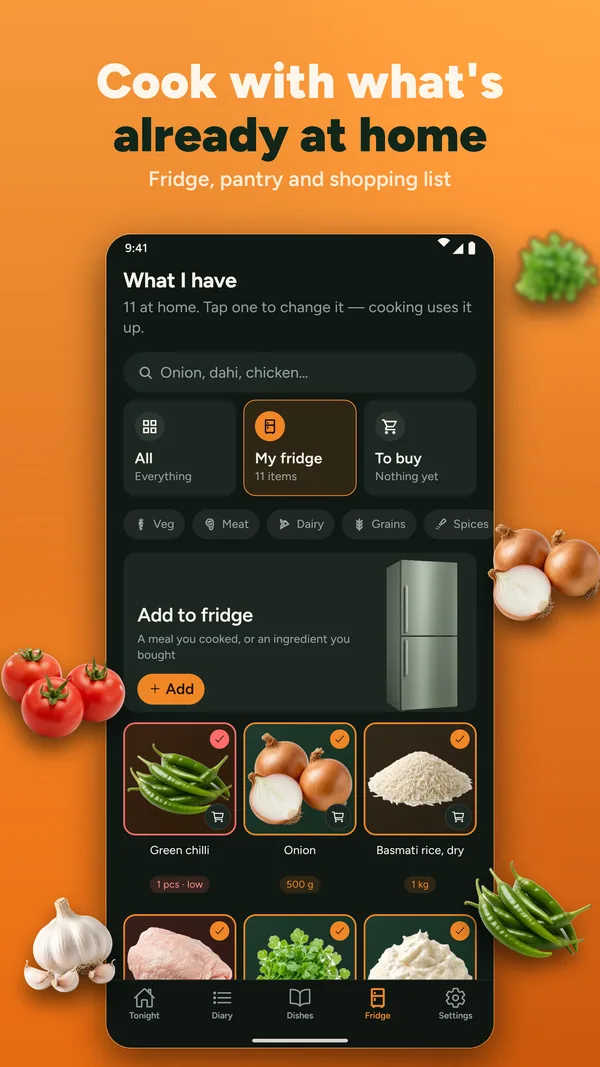
Fridge and shopping listSay what is at home, and it builds a grocery list you can share.
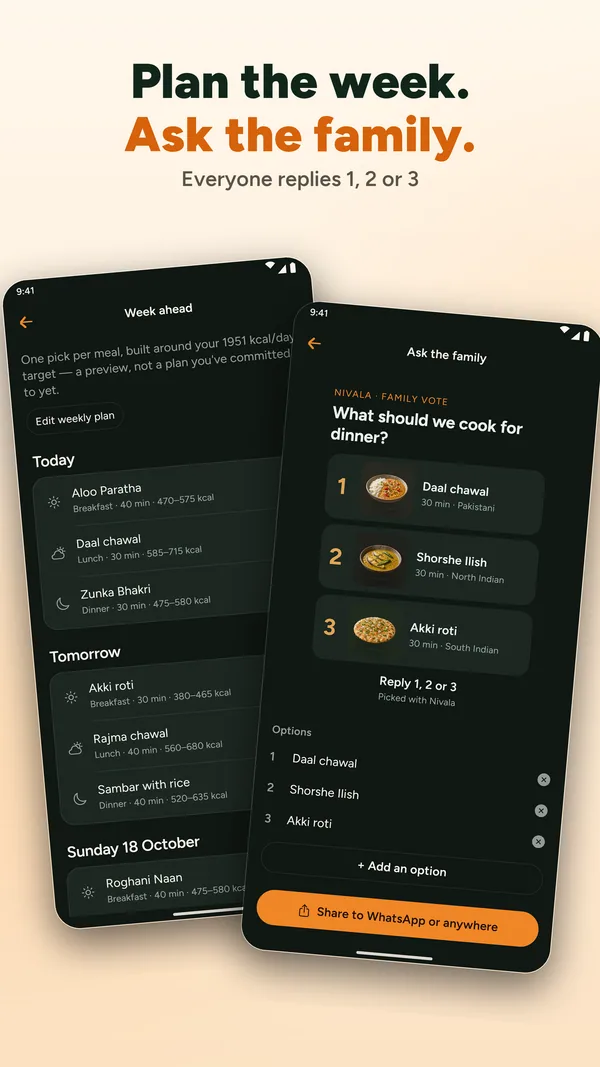
Week planner and family voteA pick for each slot of the week, and a vote on tonight's three.
What happens after you install?
Open it
There is no account to make. You go straight to setting up.
Set the rules once
Pick dietary rules and allergies, say who is eating, and add your kitchen habits. Five short steps.
Get three dinners
Each one comes with its reason and a start-by time. Tap one to cook it, or ask for new picks.
Before you download
Is Nivala free?
Yes. It is free to download and use. Ads from Google AdMob are non-personalised, and Nivala asks for your consent before it shows any.
Do I need an account?
No. To move your dishes and meal history to a new phone you can add an email and confirm a six-digit code. There is no password, and you can delete the account from Settings at any time.
Does it work without internet?
Your three picks do, because the decision engine runs on your phone. Restaurants, weather, dish photos, backup and ads need a connection.
Does Nivala certify food as halal?
No. It applies the dietary rules you set and says why each dish passed. Certification stays with you and your butcher.
Can I try it before I install?
Yes. Tonight runs in your browser with no account. Try Tonight in your browser
Made by Deeporax
Ready when you are
Nivala is a Deeporax app, made by Deeporax AI Ltd, a company registered in the United Kingdom. It is free for iOS and Android and supported by Google AdMob ads. Your household stays on your phone unless you choose to back it up.
- Coming soon to theApp StoreiPhone
- Coming soon to theGoogle PlayAndroid
For creators
Cook on YouTube? Put your video on the dish page.
Sign in with Google, tick the videos you want featured and pick the dish each one belongs to. Your channel name and a link stay on the page. You can disconnect any time and your videos disappear.
Cook it in the app
Timers, ingredients at the stove, steps read aloud
The app is coming to iPhone and Android. Until then, Tonight and every recipe page work in your browser.
- Coming soon to theApp StoreiPhone
- Coming soon to theGoogle PlayAndroid