
Kya pakayein?
What should we eat tonight?
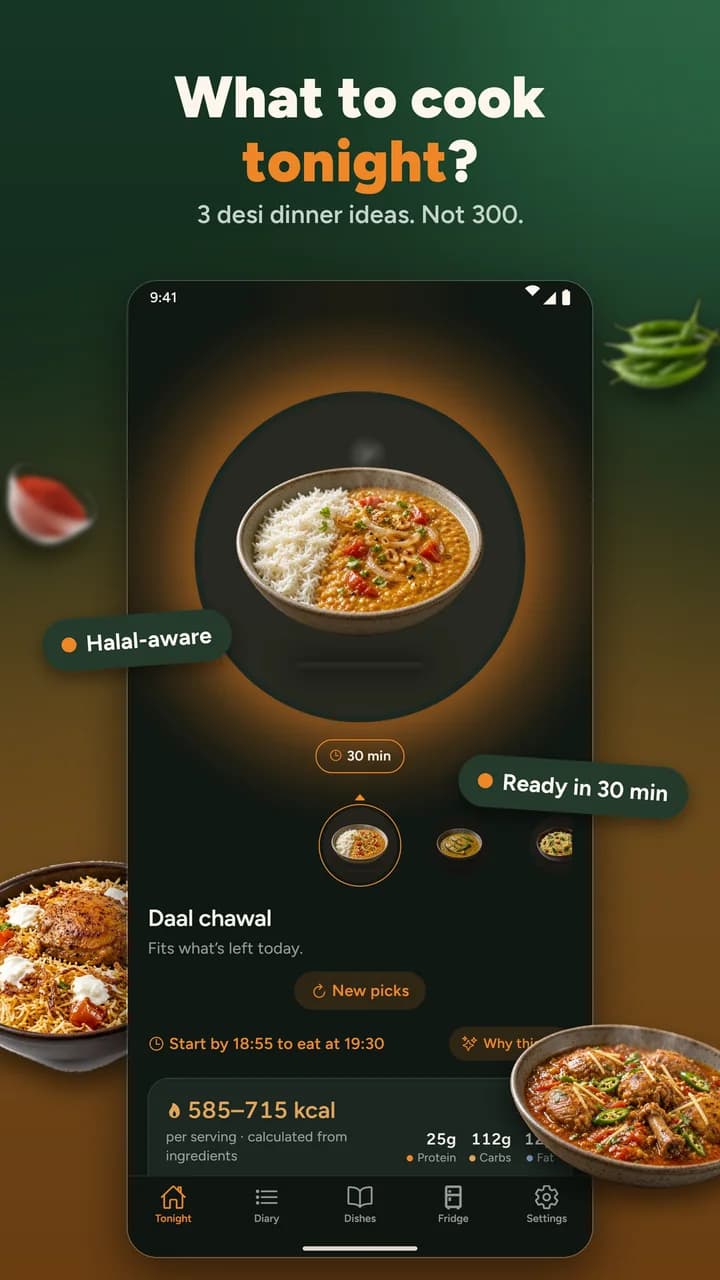
Three dinners the whole house can eat. Set your household's rules once, and Nivala shows exactly three dishes, with a plain reason for each. No feed, no scrolling.
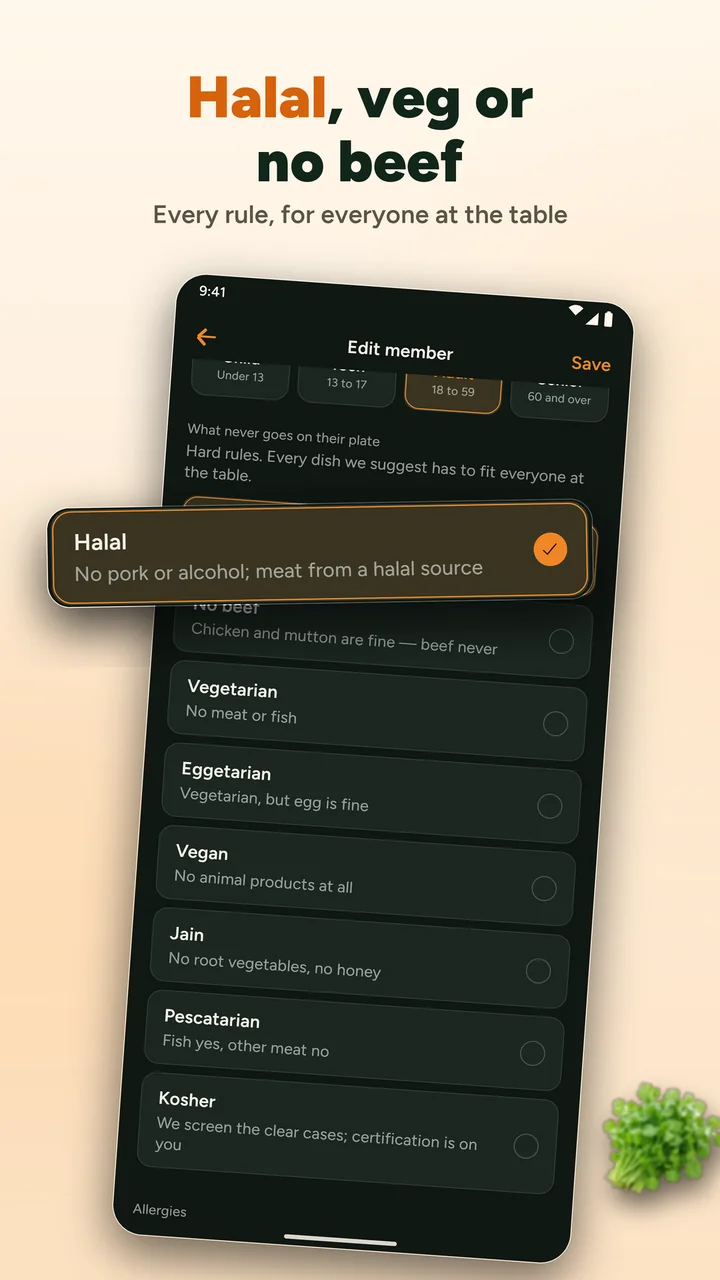
Halal, no beef, vegetarian, eggetarian, vegan, Jain, pescatarian or kosher, plus allergens, for every person at the table. Nivala applies dietary rules. It does not certify food.


Tonight, for a halal household of four
Three cards. Never a feed.
Choice paralysis is the problem Nivala exists to solve. So you get three, each one checked against everyone at the table before you see it.
Tonight's three come from three kitchens: Pakistan, South India and the UK. Tap one to see its card. Your own three depend on your household's rules and the country you cook in.
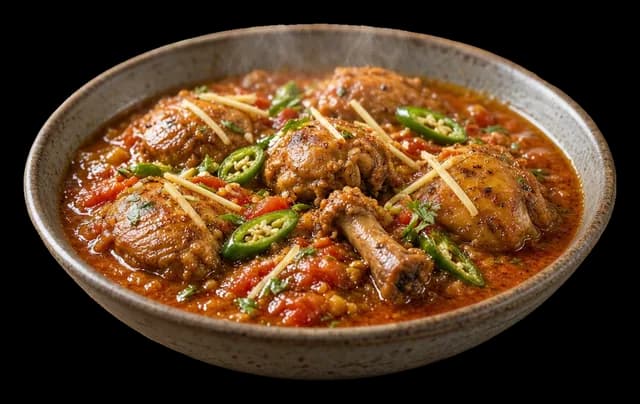
Pakistan
Chicken karahi
40 min485–590 kcalper serving
Halal, no listed allergens. Uses 60 g of oil in the pot.
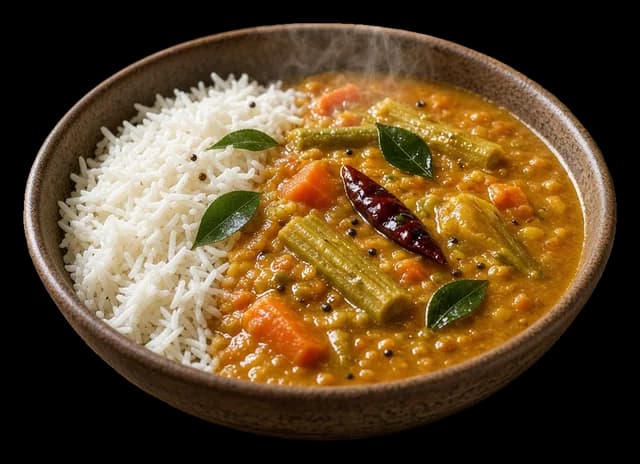
South India, Tamil Nadu
Sambar rice
40 min520–635 kcalper serving
Vegetarian, so it fits everyone at the table. Contains mustard. On the table in 40 minutes.
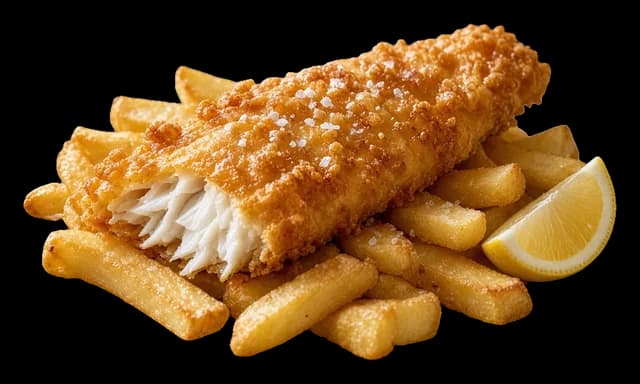
United Kingdom
Fish and chips
40 min785–960 kcalper serving
Halal. Contains fish, gluten and egg. On the table in 40 minutes.
Not cooking tonight?
What happens when you eat out instead?
Switch from Cook to Eat out and Nivala turns tonight's picks into searches on Google near you. Chicken karahi becomes a hunt for places that serve it, listed with how far they are and whether they are open. Your household's rules choose the dishes. Nivala never calls a place halal until you have checked it yourself.
The same engine picks the dish.
Eat out applies the same diet rules, allergens and variety checks as Cook. It drops the kitchen terms, such as cooking time, skill and washing-up.
The dish name becomes a search.
Each pick is searched on Google within 50 km of you, so the places that appear are ones Google lists for that dish. Type a craving and it is searched first.
You get places, not a verdict.
Each place shows how far it is, whether it is open and a calorie estimate for a typical order, as a range. Where Google has a photo, it is shown.
What Eat out will not do
- Halal is never assumed. Google has no halal data, so a place reads “Halal status unknown” until you check it and say so.
- A match means a place came up for the dish name. It says nothing about the meat or what is in the kitchen, and Nivala has no allergen data for restaurants, so check with the venue.
- It needs to know where you are, or an area you type in. Without one it says so in a sentence and offers Cook instead.
Anatomy of a card
Everything you need to say yes, on one card.
Time, up front
How long it takes from start to the table, so tonight’s decision is a real one.
A calorie range, never one number
Calculated from the ingredients and shown with how sure we are.
Checked for everyone at the table
Halal, no beef, vegetarian and more, plus allergens, before you ever see the card.
One plain reason
Why this dish tonight, in a single honest line. An AI can word it. It cannot change the pick.
How it decides
Rules decide. A model only explains.
- 1
Fixed rules, not a guess.
Halal, allergens and diets are decided by rules applied to each ingredient. An AI can explain a decision afterwards. It never makes one.
- 2
If we're not sure, it's out.
An ingredient Nivala doesn't recognise is held back and marked mushbooh (doubtful). It is never assumed safe, because a wrong "this is fine" is worse than an honest "we're not sure".
- 3
Numbers come with a range.
Calories are calculated from the ingredients, then shown as a range with how sure we are. Nothing here tells you to eat less.
Meet Ember
Eat more, and Ember reacts. Tap it to say hi.
No meals yet. Tap a dish to feed Ember.
Ember is just starting. A small ember glows in its belly.
Tour of the app
What should you cook tonight? A 32-second tour.
Nivala answers what to cook tonight with exactly three dinners your whole household can eat. You set everyone's dietary rules once, including halal, vegetarian, Jain and allergens, and fixed rules filter every dish. Each card gives a plain reason it made the cut. This tour shows the app doing it.

Read the tour as text
- What to cook tonight?Three dinner ideas. Not three hundred.
- Halal, veg, Jain: every rule respectedHard rules. Never suggested around.
- Know why it's on your plateWorked out on your phone, in plain English.
- Cook, or eat out tonightNearby places for your picks. Halal never guessed.
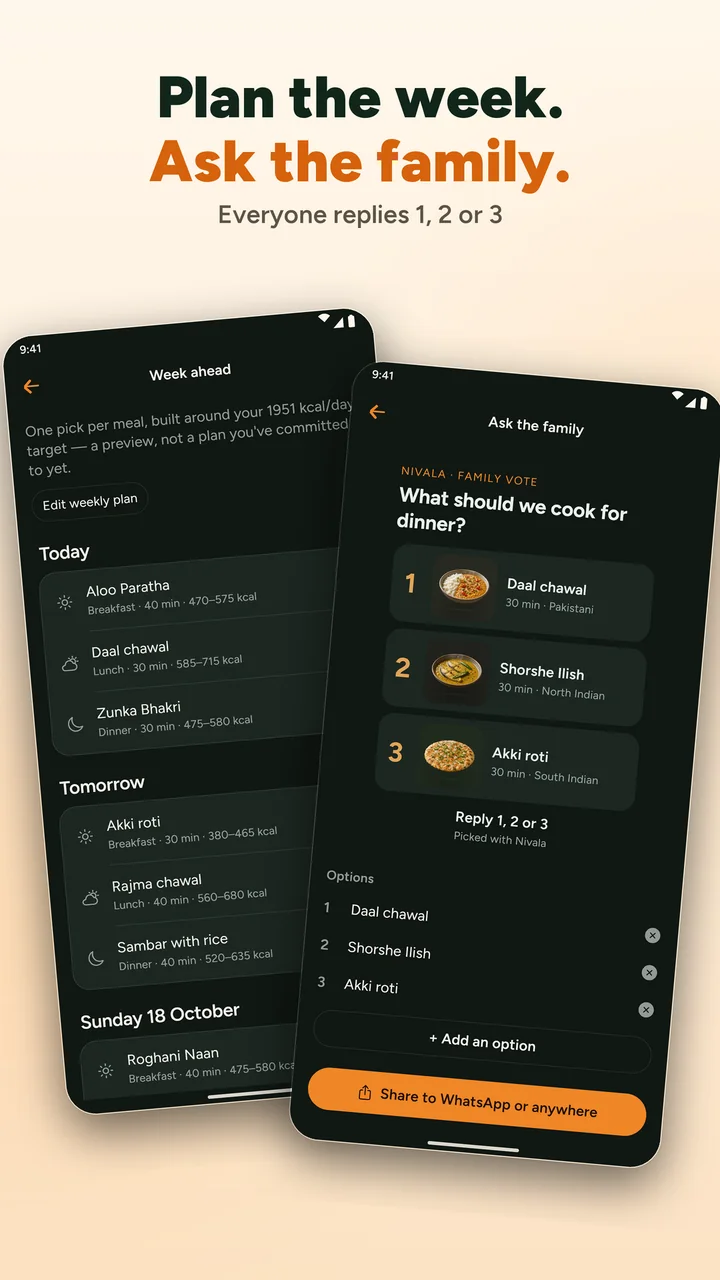
- Ask the family what's for dinnerShare three picks. They reply 1, 2 or 3.
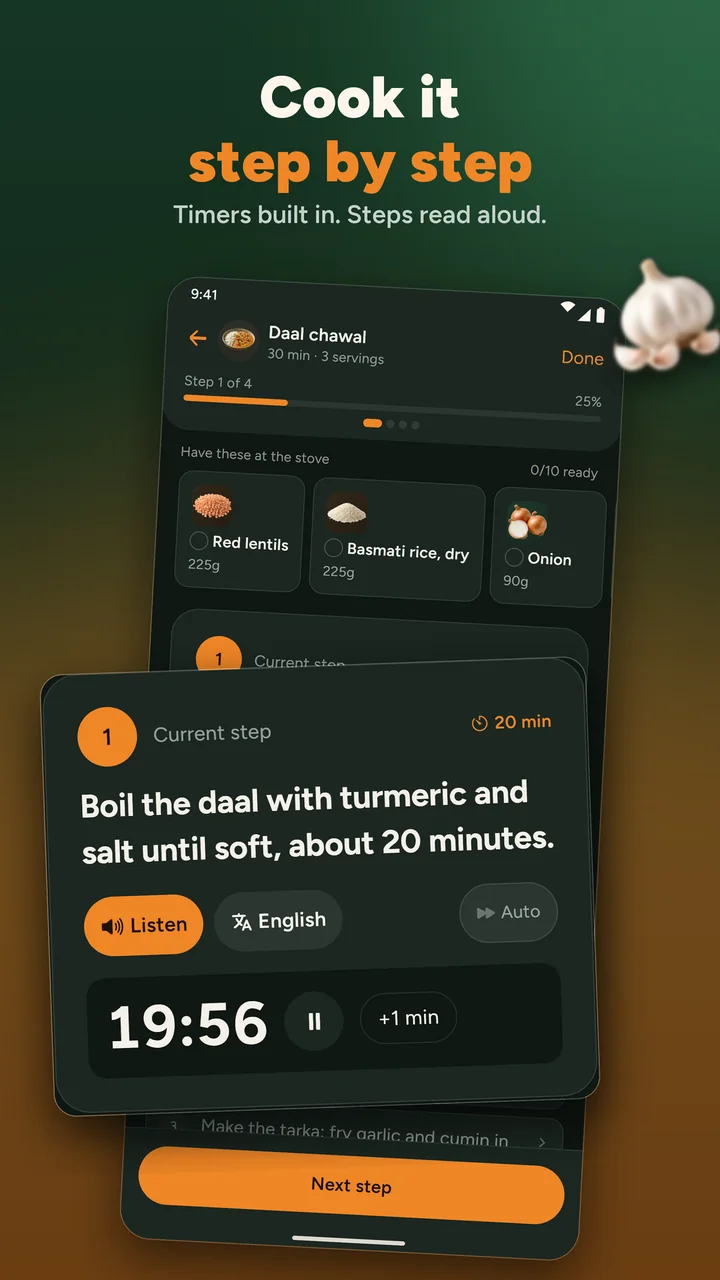
- Cook it step by stepBuilt-in timers, and steps read aloud.
- Cook with what's already at homeWe warn you before it runs out.
Inside the app
Pick it, vote on it, cook it.
230+ dishes, 170+ of them Pakistani and Indian
Dishes people search for.
Each page shows what other recipe sites leave out: the oil in the pot, which ingredients were checked and why, and a calorie range with its confidence.
Chicken karahi
40 min485–590 kcal
No listed allergens. 60 g of oil in the pot.
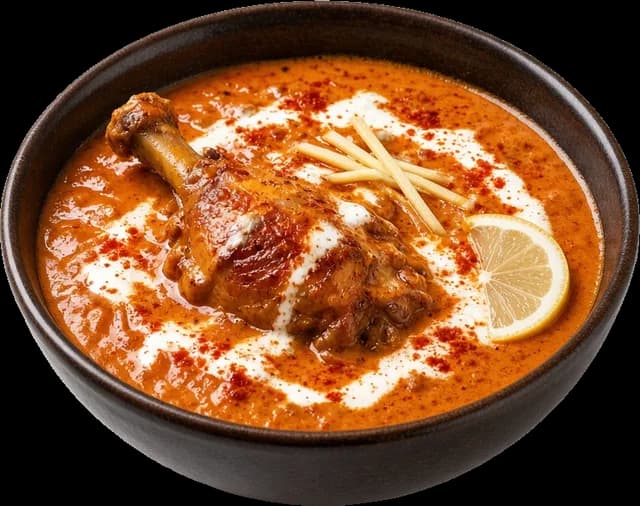
Butter chicken
60 min590–720 kcal
Contains dairy and tree nuts. Marinate for 120 minutes first, then 60 to cook.
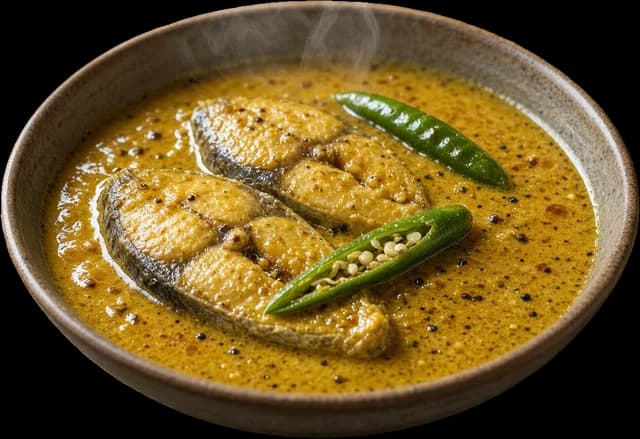
Shorshe ilish
30 min525–645 kcal
Contains fish and mustard. 60 g of mustard oil in the pot.
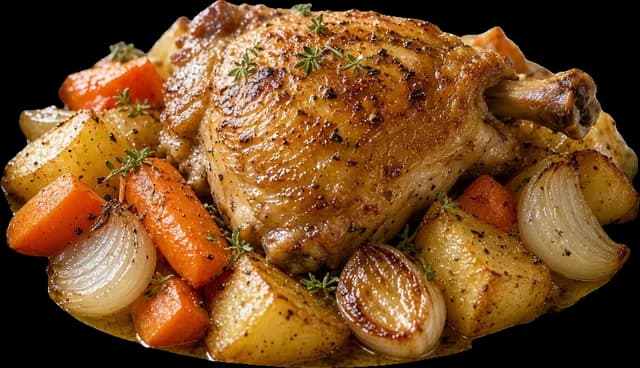
Roast chicken
80 min645–790 kcal
No listed allergens. Comes with potatoes and carrots, 45 g of oil.
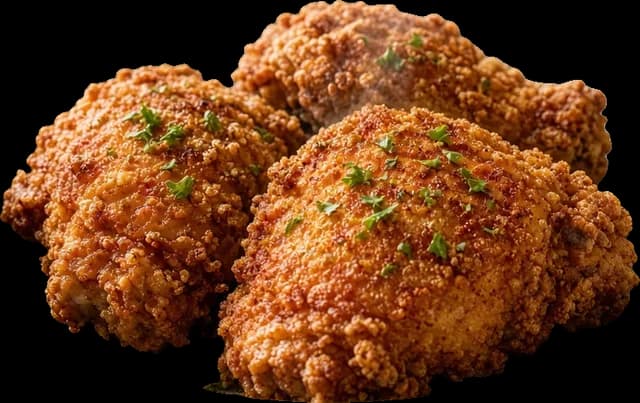
Southern fried chicken
45 min805–985 kcal
Contains dairy and gluten. 120 g of oil, after a 240-minute marinade.

Aussie meat pie
55 min885–1080 kcal
Contains gluten, fish and egg. Halal is unconfirmed, so it drops out for halal households.
Where it works
Which countries and regions does Nivala cover?
Nivala is set up for households in 10 countries: the UK, Pakistan, India, Bangladesh, the US, Canada, the UAE, Australia, New Zealand and Ireland. Your country changes which dishes lead the board, never which ones are safe for your rules. The library is deepest in Pakistani and Indian food, so those countries get the most local picks.
India
North and South Indian
Pakistan
Pakistani
Australia
Australian and British
New Zealand
Australian and British
United States
American and fast food
Canada
American and fast food
United Kingdom
British
Ireland
British
Bangladesh
Bengali
United Arab Emirates
Middle Eastern, none in the library yet
For creators
Cook on YouTube? Put your video on the dish page.
Sign in with Google, tick the videos you want featured and pick the dish each one belongs to. Your channel name and a link stay on the page. You can disconnect any time and your videos disappear.
Cook it in the app
Timers, ingredients at the stove, steps read aloud
The app is coming to iPhone and Android. Until then, Tonight and every recipe page work in your browser.
- Coming soon to theApp StoreiPhone
- Coming soon to theGoogle PlayAndroid